In today’s fast-paced restaurant industry, digital menu boards have become essential for quick service restaurants, cafes, bars, and casual dining establishments. These dynamic displays replace traditional static menus, enabling restaurants to showcase their offerings with stunning visuals, promote specials in real-time, and create memorable customer experiences.
Studies show that 86% of restaurant owners witness increased sales with digital signage, while 35% of customers report reduced perceived wait times when digital menu boards are present. This comprehensive guide explores everything you need to know about implementing digital menu boards for your restaurant.
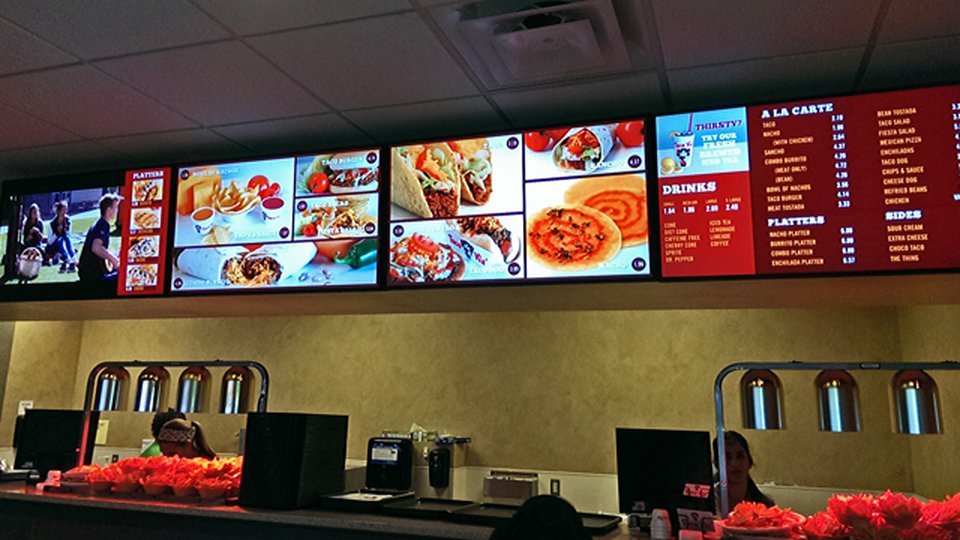
Digital menu board in restaurant
What Are Digital Menu Boards?
Digital menu boards are electronic displays that present restaurant menus using digital signage technology. Unlike traditional printed menus, digital menu boards allow restaurants to:
Update prices and items instantly
Display dynamic content and animations
Promote daily specials automatically
Schedule different menus for breakfast, lunch, and dinner
Integrate with POS systems for real-time inventory sync
Benefits of Digital Menu Boards
1. Increase Sales and Revenue
Digital menu boards create compelling visual experiences that encourage customers to try premium items and upsell opportunities. Research indicates a 30% increase in average purchases when restaurants use digital signage to advertise menu items and promotions.
2. Reduce Perceived Wait Times
The engaging content on digital menu boards keeps customers entertained while waiting in line, resulting in a 35% reduction in perceived checkout waiting times. This improves overall customer satisfaction and dining experience.
3. Streamline Operations
POS Integration: Connect directly with your point-of-sale system to automatically update prices and item availability
Real-time Updates: Make instant changes across all displays from a centralized dashboard
Error Reduction: Eliminate pricing mistakes and out-of-stock item confusion
4. Enhance Brand Experience
Professional, consistent branding across all locations
High-quality images and videos of menu items
Smooth animations and transitions
Customizable layouts to match your brand identity
Recommended Hardware for Digital Menu Boards
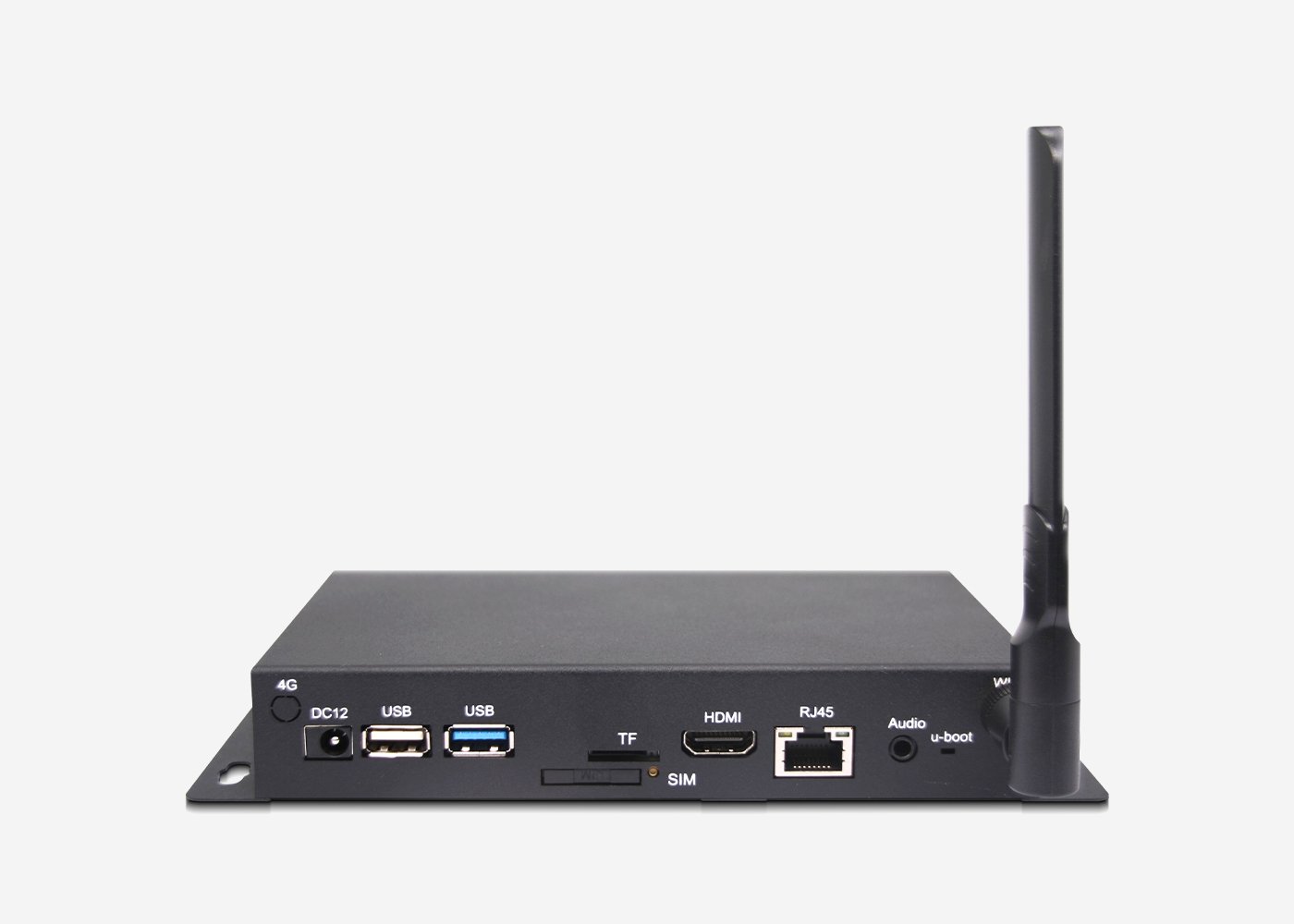
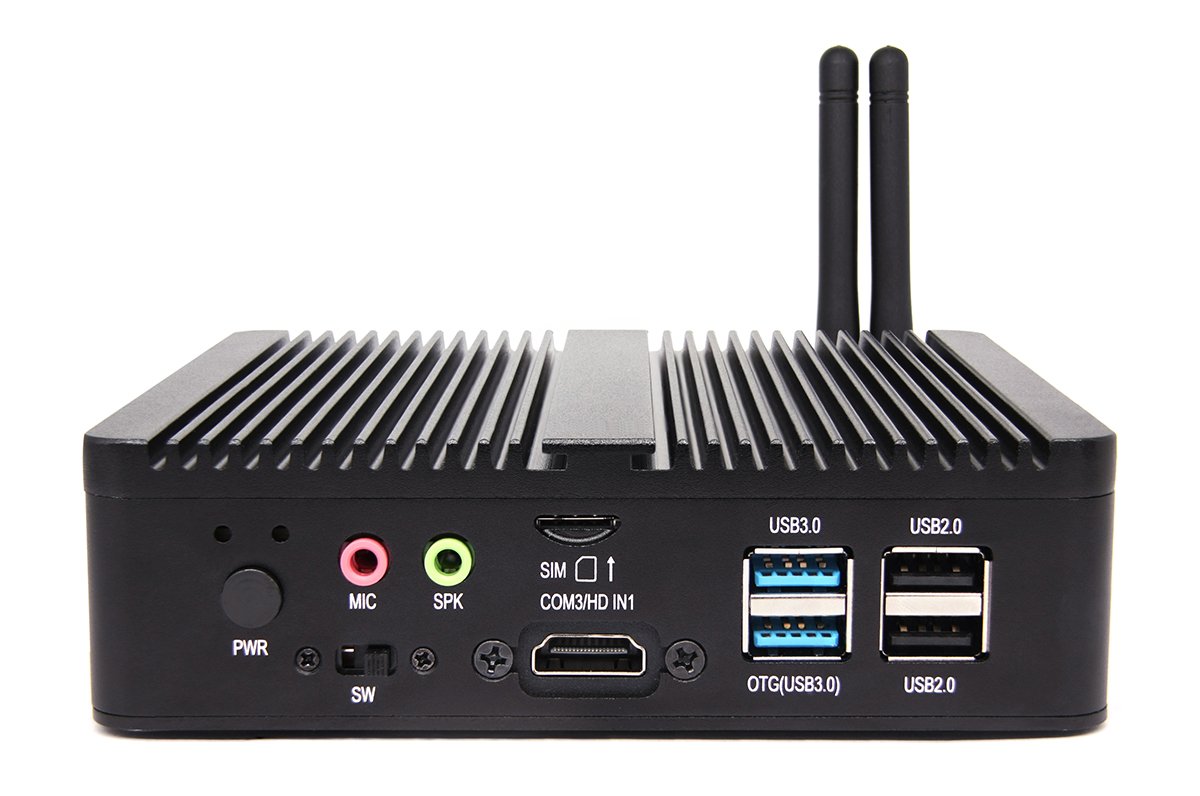
Choosing the right hardware is crucial for reliable 24/7 operation. Here are recommended solutions:
Install Software: Deploy ShiMeta Digital Signage Software or partner platforms
Connect Displays: HDMI/DP output to commercial displays
Configure Network: Set up Ethernet/WiFi for remote management
Upload Content: Design and schedule your menu boards
Why Choose ShiMeta?
Reliable Hardware: Industrial-grade players designed for 24/7 operation
Flexible Software: Compatible with major digital signage platforms
OEM Customization: Tailored solutions for specific requirements
Technical Support: Professional assistance and documentation
Cost-Effective: Competitive pricing for businesses of all sizes
Conclusion
Digital menu boards represent a significant advancement in restaurant technology, offering dynamic content capabilities, operational efficiencies, and enhanced customer experiences. With 86% of restaurant owners reporting sales increases after implementation, the ROI is clear.
Whether you operate a quick-service restaurant, café, bar, or casual dining establishment, digital menu boards can transform how you communicate with customers and drive revenue growth.
FAQ
How long does it take to set up digital menu boards?
Most cloud-based solutions can be operational within a few hours. Professional installation with multiple screens typically takes 1-2 days.
Do digital menu boards require internet?
Cloud-based solutions require internet for content management, but many systems offer offline modes with cached content.
How do I update my menu items?
Most solutions offer web-based dashboards, mobile apps, or POS integration for real-time updates across all displays.
Ready to Get Started?
Transform your restaurant with digital menu boards