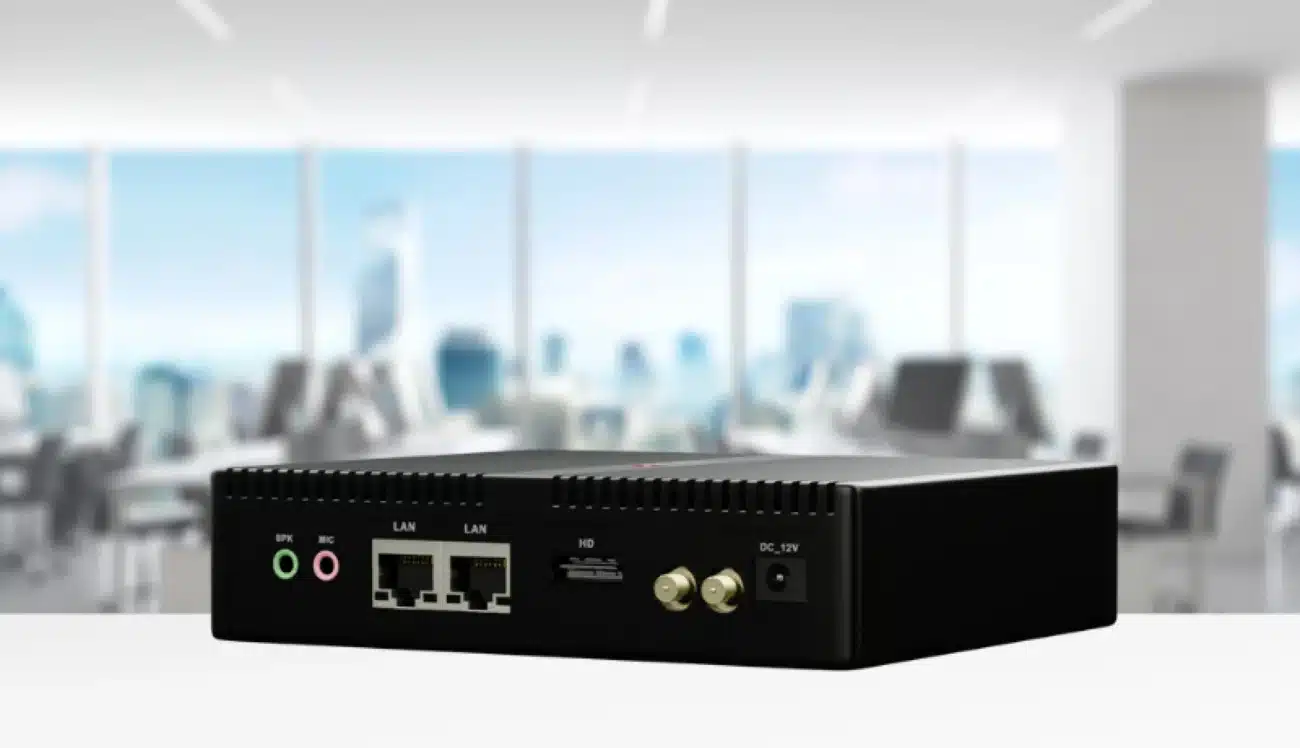
Digital signage continues to reshape communication across industries. From retail environments and transportation hubs to healthcare facilities and corporate offices, digital signage helps businesses engage with customers in real time. But for some commercial applications, basic signage isn’t enough — that’s where HDMI input-enabled digital signage players come in.
These devices allow for real-time video feeds, external device integrations, and live display switching, enabling dynamic content strategies that go far beyond static playlists. In this guide, we’ll explore the best digital signage players with HDMI input, evaluate their features, and help you choose the right one for your business needs.
Understanding HDMI Input in Digital Signage Players
Before diving into specific product recommendations, let’s clarify a common point of confusion:
HDMI Output: Sends content from the player to a screen.
HDMI Input: Receives content from external sources like a set-top box, media camera, laptop, or security feed.
Why HDMI input matters: If your display system requires live broadcast feeds, video conferencing, security camera integration, or external source switching, HDMI input is crucial. It enables you to overlay live video, switch between multiple inputs, and create responsive visual experiences that enhance customer engagement and operational efficiency.
Key Features to Look for
When evaluating a digital signage player with HDMI input, consider these essential specs:
Resolution Support: Ensure at least 1080p, preferably 4K for modern displays.
Processing Power: A robust CPU/GPU combo ensures smooth decoding and playback.
CMS Compatibility: Ability to integrate with your content management system for remote scheduling and device control.
Touchscreen and Interactivity Support: For kiosks and touch-based solutions.
Fanless Design & Heat Dissipation: Vital for 24/7 commercial environments.
Connectivity: Gigabit Ethernet, Wi-Fi 6, USB interfaces
Design: Fanless design
Best for: High-performance digital signage, 4K commercial displays, retail advertising, and AI-enabled display applications
Pros:
High-performance RK3576 processor
Up to 6 TOPS AI computing capability
Supports high-resolution 4K display output
Fanless design for commercial applications
Android and OpenHarmony system options
Suitable for customized digital signage solutions
2. BrightSign XC2055
Processor: BrightSign’s proprietary SoC
HDMI Input: Yes
OS: BrightSign OS
Resolution: 4K HDR
Best for: Broadcast-quality installations, airports, high-traffic venues
Pros: Rock-solid reliability Enterprise-level performance HDMI video overlay
Cons:
High price tag
Locked to BrightSign CMS
3. IAdea XMP-7500
Processor: ARM Cortex-A72
HDMI Input: Supported
OS: Android
Resolution: 4K UHD
Best for: Quick-service restaurants, interactive kiosks, corporate offices
Pros:
Budget-friendly
Fanless design
Compatible with major CMS systems
4. Giada DM8
Processor: Intel Celeron J1900
HDMI Input: Yes
OS: Windows/Linux
Resolution: 1080p
Best for: SMB digital signage, meeting room displays
Pros: Affordable Compact size Windows compatibility
Cons: Only 1080p support Not ideal for high-performance AI tasks
5. Navori StiX 3700
Processor: ARM Cortex-A73
HDMI Input: Optional module
OS: Android
Resolution: 4K
Best for: SMBs seeking CMS integration and HDMI functionality
Pros: Great value Advanced content scheduling Seamless Navori CMS integration
Use Case Scenarios
Retail Advertising
Display a real-time promotional feed from a live studio broadcast or demo.
Corporate Lobbies
Switch between live meetings and branding content.
Transportation
Display weather, news, emergency alerts, and security camera feeds.
Trade Shows
Connect to a presenter’s laptop to display presentations in real time.
Security
Use HDMI input to display real-time footage from surveillance systems.
What to Avoid
No HDMI input: Confirm spec sheets carefully.
Low-end consumer devices: Not designed for 24/7 operation.
OS lock-in: Some players restrict CMS flexibility.
Poor cooling: Overheating leads to system instability.
No NPU/AI support: Future-proofing matters for edge AI tasks.
Conclusion
Choosing the right digital signage player with HDMI input requires a clear understanding of your use case, budget, and future scalability. Whether you need to stream a live feed, integrate external video sources, or manage hundreds of devices remotely, these players offer flexibility and power tailored to modern commercial environments.
Future-ready, HDMI-IN capable, and built for 24/7 uptime — these digital signage players are redefining content delivery in commercial spaces.