


The number of options available to you when selecting your digital signage hardware can be daunting. Choosing the best digital signage hardware for your job can be challenging due to the range of LED or projection displays and player options (such as cloud-based or media players and digital signage motherboards).
The ideal TV screen for digital signage will depend on your content and installation environment.
A school with business networks, different screen sizes, and 4K or app-based content will need a different solution than an ad network with multiple remote sites, basic 1080p playing, device management, and theft protection.
If your content only runs for eight hours a day, a consumer display might be helpful. For 24-hour operation, choose a professional display.
Knowing what you need makes it easier to select the right screen type and size.
When people think of digital signage, they imagine huge displays in places like Times Square or airports—but many screen types can work depending on your setup.
Tablets and iPads: perfect for close-up or touch-based viewing of things like product shelves, meeting room doors and lifts.
Monitors: An affordable choice for 17–32″ screens. TVs are typically less expensive for anything larger than 32″.
TVs that are not smart Large, reasonably priced screens that require an external media device (like Chromecast with Google TV). Limited built-in functionality but good image quality.
All-in-one screens with an integrated operating system are known as smart TVs (Android TV, Samsung Tizen, LG webOS, etc.). Examine the specifications carefully; many appear fantastic but are powered by antiquated systems or low-performance hardware.
Consumer TVs: intended for about eight hours every day. Burn-in, a shorter lifespan, and colour deterioration make it unsuitable for 24/7 signage.
Professional TVs: Designed to run for extended periods of time (16/7 or 24/7), they are more durable, have brighter screens, and perform better for digital signage, including outdoor use.
In the commercial display field, choosing a suitable digital signage motherboard is crucial to the success of a project. With its deep technological expertise, Vismet offers a full range of digital signage motherboards for advertising machines, covering various application scenarios from 1080P to 4K ultra-high definition.
1. DS-352A: A Basic Choice for Flexible Configuration
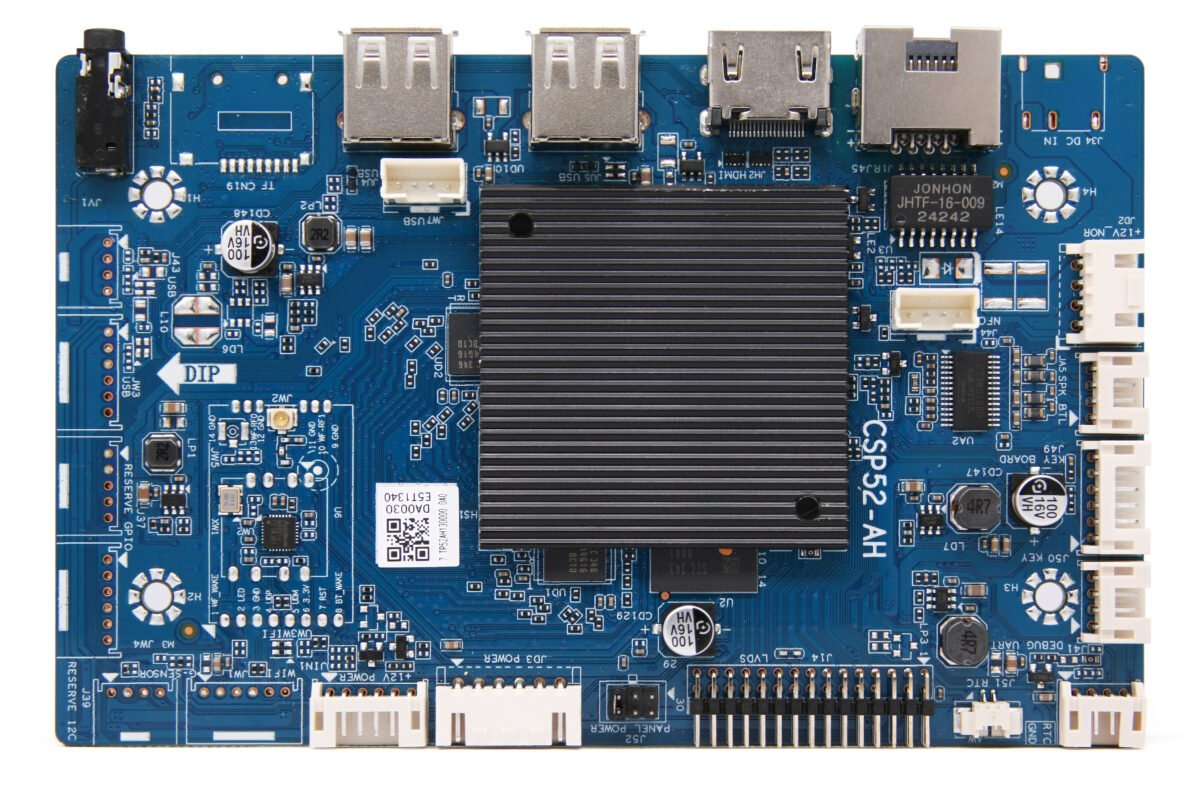
Flexible Hardware Configuration: Optional 1GB/2GB DDR4 memory, supports up to 64GB eMMC, allowing for customized configuration as needed.
Diverse Display Outputs: Supports one LVDS output and one HDMI input, compatible with various display devices.
Abundant Expansion Interfaces: Supports dual USB + dual TTL + dual IIC ports, built-in WiFi/BT, supports 100Mbps Ethernet, plug-and-play peripherals.
2. DS-352B: A Versatile 3-in-1 Solution
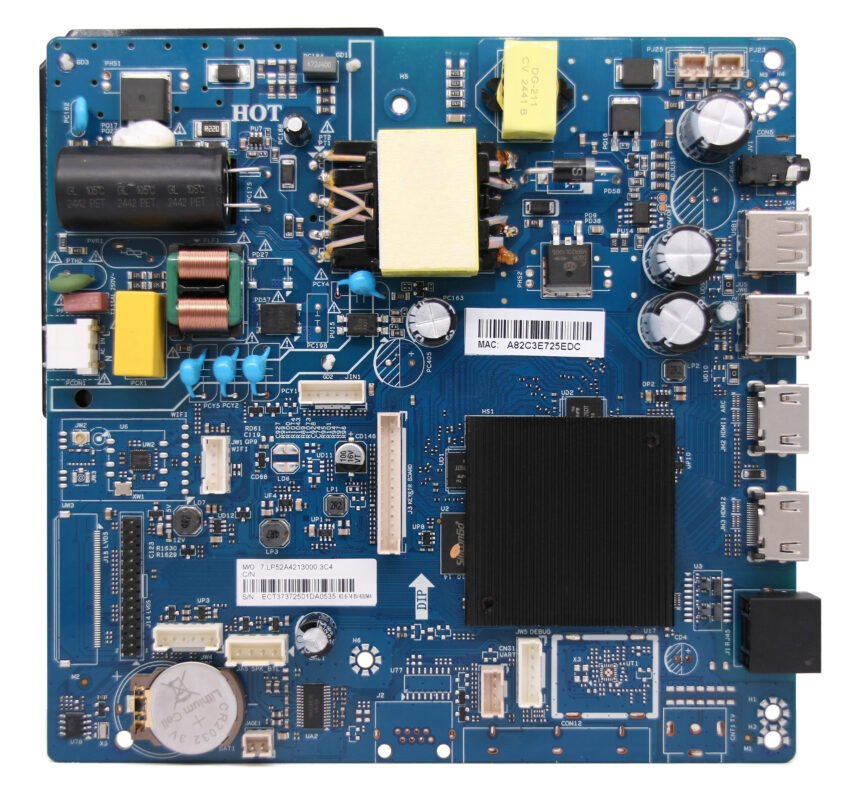
Hardware Expansion: Flexible memory and storage options support higher configurations to meet performance demands.
3-in-1 Design: Integrated motherboard, power management, and backlight panel saves space and cabling.
Adjustable Backlight: Supports 25W/45W backlight drivers to adapt to devices with varying power consumption.
Multiple Display Interfaces: 2 HDMI inputs + 1 LVDS output for multi-screen interaction scenarios.
Rich Expansion Interfaces: Supports 2 USB ports + 2 serial ports + 1 IIC port, built-in WiFi/BT, and supports 100Mbps Ethernet.
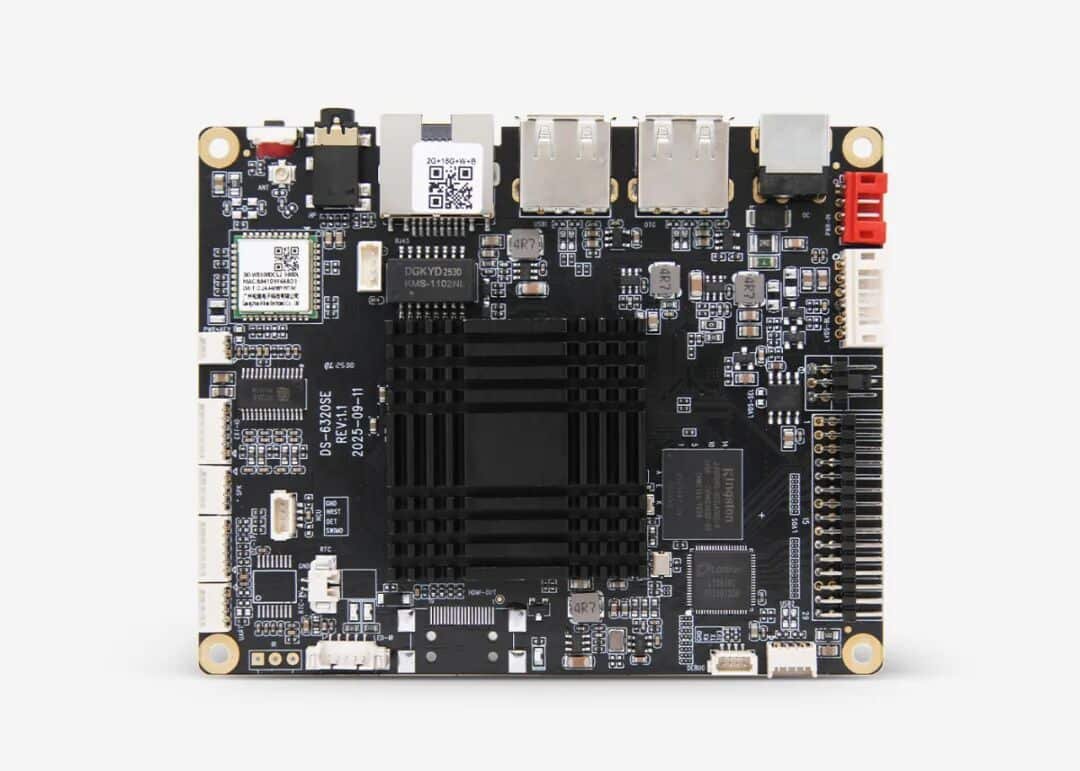
High-Efficiency Processing: GK6320V100 processor, supports 1080P LVDS or 4K HDMI output (choose one)
Operating System Support: Compatible with Android 9.0 and OpenHarmony 5.1 operating systems
Flexible Network Connectivity: Built-in 2.4G WiFi, Bluetooth, and 10/100M adaptive Ethernet ensure smooth content updates
Rich Expansion Interfaces: 3 USB + 1 TTL + 1 IIC + 4 GPIO ports for easy function expansion
Compact and Highly Reliable: Compact 100x80mm size, industrial-grade design, stable operation outdoors for extended periods.
1. DS-963A: Cinema-level display for high-end installations
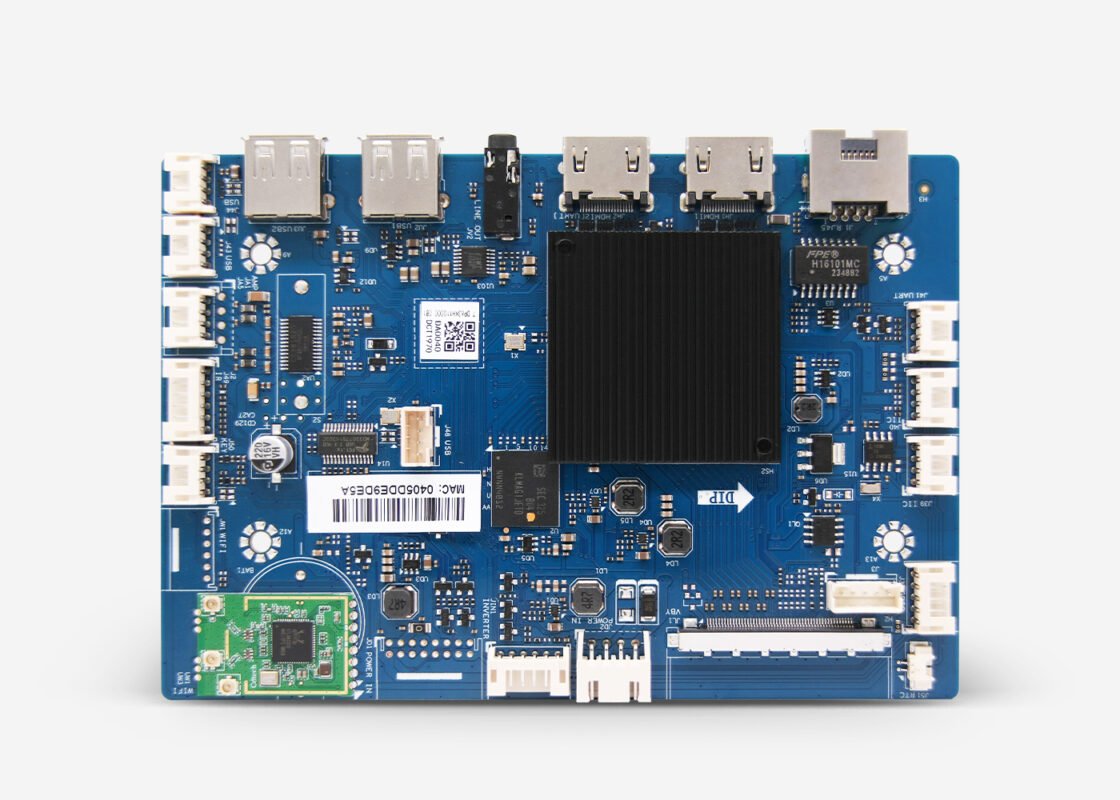
Ultra-HD Output: 4K@60Hz resolution + V-BY-ONE interface, for delicate and lifelike images
Picture Enhancement: Supports HDR10/HLG decoding, equipped with professional image technologies such as sharpening and noise reduction
Powerful Performance: Amlogic T963 quad-core chip + Mali-G31 GPU, ensuring smooth multitasking
Dual Input: Supports dual 4K HDMI inputs, compatible with various ultra-HD signal sources
Rich Interfaces: Supports 4 USB ports + 1 serial port + 1 IIC port, 100Mbps Ethernet, built-in WIFI, plug-and-play peripherals
2. DS-660A: All-around flagship model, focusing on interaction and expansion

Powerful performance: Hisilicon Hi3751 V660 processor (octa-core A55), ARM Mali-G52 MC GPU, effortless 4K decoding and interaction
Top-notch picture quality: 4K@60fps V-BY-ONE output + HDR Vivid technology, superior color and detail
Dual input: Supports dual 4K HDMI inputs, compatible with various ultra-high-definition signal sources, supports CEC function, supports ARC
Rich expansion interfaces: Supports 3 USB ports + 1 serial port + 1 IIC port, plug and play peripheral connections
Next-generation wireless connectivity: Supports 100Mbps Ethernet, built-in Wi-Fi 6, BT5.4, integrated with StarFlash, Nearlink, GPMI and other technologies, faster wireless connection, low latency and high reliability
3. AIoT-6780SE: High-security model for premium and government scenarios
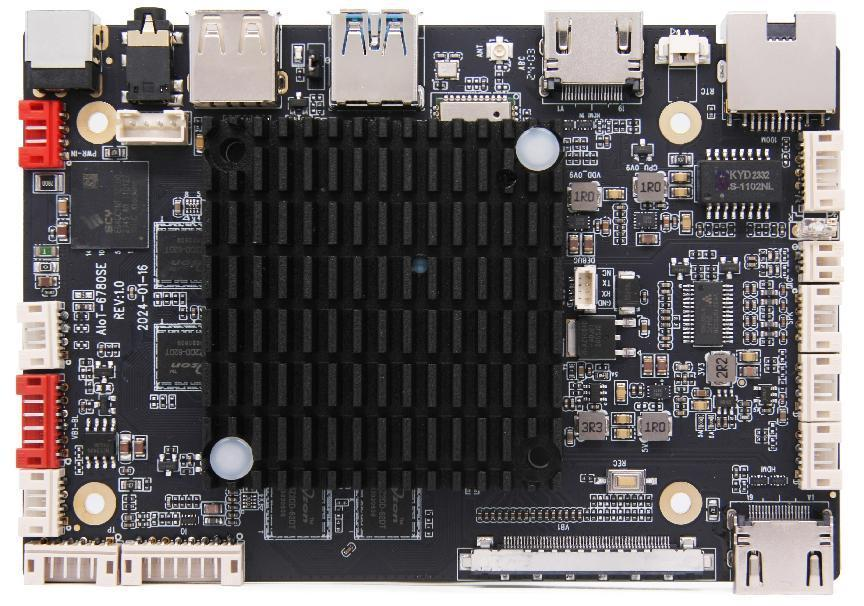
Eight-Core Powerful Performance: Equipped with a Guoke Micro GK6780V100 eight-core processor, supporting 4K@60fps/8K@30fps decoding with low latency.
Operating System Support: Compatible with Android/OpenHarmony operating systems.
4K Ultra HD Display: Supports 1 HDMI + 1 V-BY-ONE display output, 1 HDMI input, and a maximum resolution of 3840*2160.
Rich Expansion Interfaces: 4 USB ports (including USB 3.0) + 2 RS232 ports + 4 GPIO ports, adaptable to various peripherals.
Multi-Mode Networking: Supports 100Mbps Ethernet, built-in WiFi/Bluetooth, providing stable and reliable network connectivity for high-speed connections.
The first step in choosing the best digital signage hardware is understanding your needs.
Depending on the type of display that works best for your setup, you can select from consumer and professional TVs as well as smaller options like tablets or monitors. Choose whether you need a separate media player or an all-in-one smart device.
Performance requirements include storage capacity, advanced app support, WiFi or Ethernet connectivity, and 1080p versus 4K playback.
Planning for deployment should take into account the device’s size, mounting, housing, theft prevention, and remote management. Choose an operating system that provides the features you need, like kiosk mode, auto-reboot, or offline playback. Finally, take into account the cost, local availability, warranty, and after-sale support.
Digital signage is a segment of electronic signage that uses digital display technologies to present multimedia content in both public and private environments.


