


We are ready to answer right now! Sign up for a free consultation.
I consent to the processing of personal data and agree with the user agreement and privacy policy
In the fast-evolving world of self-service technology, choosing the right processor architecture is critical when designing or deploying a kiosk device. Whether it’s for digital signage, self-checkout terminals, or interactive information kiosks, the two most common hardware platforms — ARM and x86 — offer very different benefits and limitations.
So, which one is better for your kiosk project? Let’s break it down.
At the heart of any kiosk device lies a central processing unit (CPU). The two dominant architectures — ARM (Advanced RISC Machine) and x86 (Intel/AMD-based) — differ in how they process instructions:
ARM is based on RISC (Reduced Instruction Set Computing), making it efficient, lightweight, and perfect for mobile and embedded systems.
x86 uses CISC (Complex Instruction Set Computing), offering higher computational power and support for more complex software environments.
Both have extensive applications in embedded computing, but choosing the right one depends on your kiosk’s specific needs.
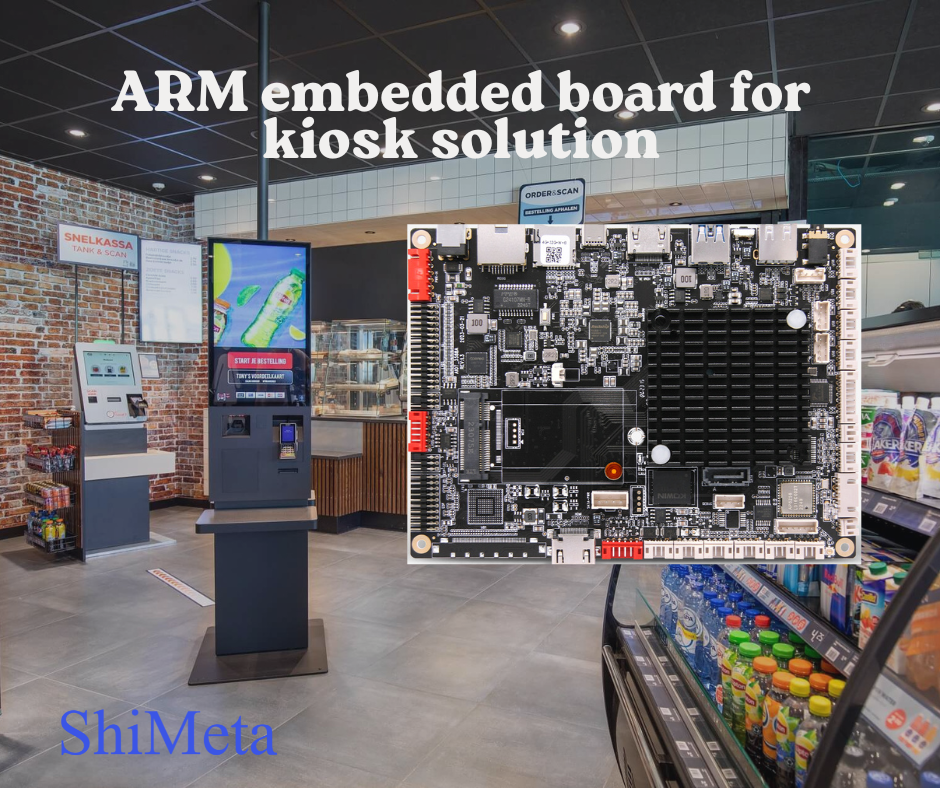
If your kiosk runs heavy applications, requires multitasking, or needs to support Windows-based software, then an x86 processor may be the better choice. It can handle high loads, multiple I/O peripherals, and complex UI interactions.
In contrast, ARM CPUs are optimized for tasks that require moderate processing power — ideal for Android-based kiosks, touchscreen interfaces, or media playback.
Workload Example | Best Choice |
Windows POS kiosk with barcode scanners | x86 |
Android-based self-service check-in | ARM |
Digital signage player with 4K video | ARM or x86 |
One of ARM’s biggest strengths is its low power consumption. ARM-based kiosks often run on fanless motherboards, making them perfect for sealed enclosures, outdoor kiosks, or any space-constrained environments. Less heat means less wear and tear, longer hardware life, and lower energy costs.
On the other hand, x86 platforms typically require active cooling, especially when handling demanding tasks. While they deliver more performance, they may increase energy usage and maintenance complexity.
x86 processors offer broad compatibility: Windows, Linux, ChromeOS, and even some Android versions.
ARM processors are most commonly used with Android or lightweight Linux distros.
If your kiosk needs to run legacy enterprise software, go with x86. If you’re deploying a modern Android kiosk solution with a cloud backend or CMS platform, ARM is a highly efficient and cost-effective option.
When considering hardware cost and long-term operation, ARM platforms usually come out ahead:
However, x86 boards offer more flexibility and backward compatibility, which may be worth the higher cost in some use cases.
Here’s a simplified breakdown of when to choose ARM vs x86 for kiosks:
Use Case | Recommended Architecture |
Android kiosk with CMS software | ARM |
Digital signage players | ARM or x86 |
POS system with legacy Windows | x86 |
Vending machine with IoT control | ARM |
High-security access kiosk | x86 |
As the kiosk industry moves toward IoT, AI, and cloud-connected devices, ARM is gaining momentum due to its scalability, energy efficiency, and mobile app compatibility. However, x86 remains dominant in industries that rely on heavy software and enterprise-level security.
Both platforms continue to evolve, and in some hybrid deployments, you may find a mix of ARM and x86 boards across different terminals in the same location.
There’s no one-size-fits-all answer. Your choice between ARM vs x86 for kiosk devices depends on:
If you’re building a lightweight, Android-based self-service kiosk, ARM is the clear choice. If your application demands high performance and compatibility with complex Windows or Linux software, x86 remains the go-to solution.
We provide custom ARM-based and x86-based embedded solutions for kiosk manufacturers, digital signage integrators, and system builders.
Contact us today to get technical specs tailored to your project needs.
ARM is ideal for lightweight, Android-based digital signage players with lower energy usage and fanless design. x86 is preferred for Windows-based systems or kiosks requiring more processing capabilities, such as interactive 3D content or multiple peripheral integrations.
ARM-based systems are typically more cost-effective due to lower hardware costs and reduced energy consumption. However, if your kiosk application needs high performance, the upfront cost of x86 may be justified.
Yes. Modern ARM-based kiosk boards support capacitive touchscreens, printers, barcode scanners, NFC, and other peripherals, especially under Android OS. Just ensure driver and SDK compatibility with your hardware.
Generally, no. Traditional Windows OS versions like Windows 10/11 are optimized for x86 processors. While Windows on ARM exists, it's limited in compatibility and not ideal for most kiosk deployments. If Windows is essential, an x86 platform is recommended.
It's possible, but not always straightforward. ARM and x86 use different instruction sets, operating systems, and hardware interfaces. A switch would typically require changes in software, OS, and device integration layers.


