


A local area network, or LAN, is typically restricted to a single building and a small space, such as a house or workplace. Computers, smartphones, TVs, and tablets can all be part of the LAN. Typically, a wireless LAN is restricted to a few hundred feet around a wireless access point. Nevertheless, by connecting more wireless access points to the network, this distance can be increased. One example of a wireless access point is a Wi-Fi router.
It is a WAN (Wide Area Network) port that connects your router to the outside world. Just think of it as the point of entry between your internet service provider (ISP) and local network. Here is where you put the modem’s Ethernet cable. Your router can then send and receive data to the internet after that is finished.
The WAN port connects your router to a wide area network, such as the internet. It manages data both upstream and downstream for your whole network.
The router and end devices are connected via the LAN connection. Only when necessary does it send outgoing traffic to the WAN; otherwise, it keeps local traffic inside your network.
The network of the ISP and your internet plan determine the WAN speed. Although it might be faster or slower than LAN speed, it frequently becomes the internet connection bottleneck.
Your local hardware determines LAN speed. These days, gigabit LAN ports are widely available; higher-end or corporate equipment has 2.5G, 5G, and 10G ports. It is possible for your LAN to operate more quickly than your WAN plan permits.
A vast area is covered by the WAN side. Because it connects to the worldwide internet and the larger backbone of your ISP, it covers cities, nations, or even continents.
Local is the LAN side. Your home, place of business, or campus structure is covered. Your switch’s capacity, wireless coverage, and Ethernet connections all have an impact.
Typically, routers come with one WAN port. Although it is less frequent in homes, some dual-WAN or multi-WAN routers offer extra for load balancing.
Many LAN ports are frequently included in routers. Many consumer versions come with four LAN connections as standard. If you require many more, business switches can add them.
| Aspect | WAN Port | LAN Port |
| Primary role | Connects the router to the ISP or the external network | Connects local devices to the router |
| Typical count | Usually one (consumer routers) | Usually four or more (consumer); many on switches |
| Traffic direction | External (internet-bound and incoming from ISP) | Internal (device-to-device and device-to-router) |
| Addressing | Uses public IP from ISP (router side) | Uses private IPs assigned by the router (device side) |
| Coverage scope | Wide area, across cities or countries | Local area, within home or office |
| Infrastructure need | Modem/ONT, ISP lines (DSL, cable, fiber, cellular) | Switches, patch panels, Ethernet runs, access points |
| Common labeling | “WAN,” “Internet,” globe icon, often colored differently | “LAN,” “Ethernet,” numbered ports (LAN1, LAN2, etc.) |
| Usual speed limit | Capped by ISP plan and WAN technology | Capped by router/switch port rating (1G, 2.5G, 10G, etc.) |
| Security focus | Strong firewall rules, NAT, port forwarding vigilance | VLANs, device isolation, endpoint security |
| Typical use case | Single uplink to the internet or a remote network | Multiple device hookups in a local network |
How the LAN Port Works
An internal IP (often in the 192.168.x.x or 10.x.x.x range) is assigned to each device connected to a LAN port.
LAN 1, LAN 2, and other numbers are frequently used to identify LAN ports. Your PCs, printers, and other devices are connected to the internal network using these.
How the WAN Port Works
Usually, the WAN port is blue or has the words “WAN” or “Internet” plainly labeled on it. This makes it easier to distinguish it from the router’s LAN ports, which frequently have standard colors like white or yellow.
The status of the WAN port should be one of the first things checked when a network problem occurs. You are unable to access the internet if it is not connected.
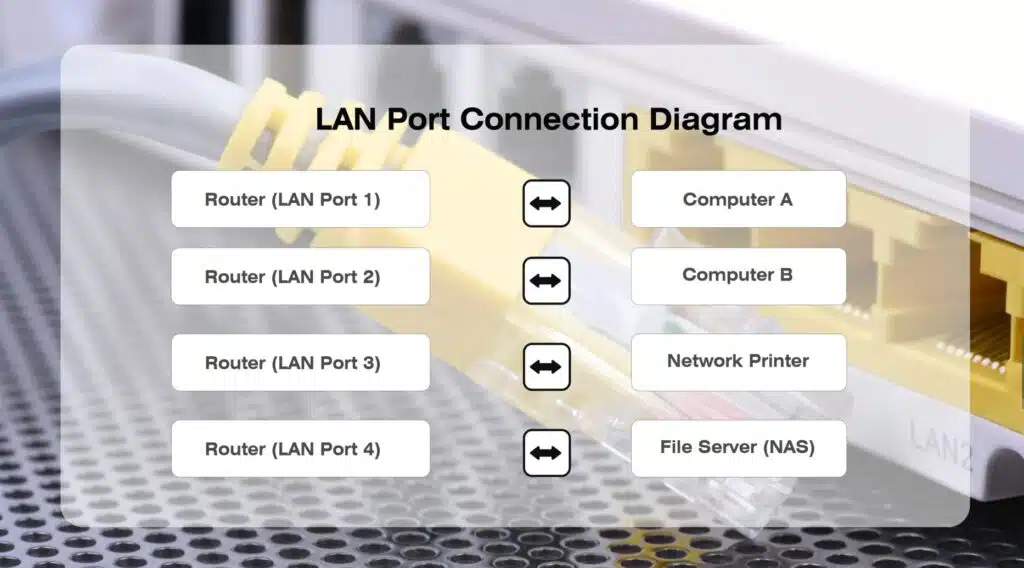
You should now choose which port to utilize in each situation. If you consider the direction of flow and the gadget you plug in, the decision is obvious. To match the appropriate port to the appropriate job, use this list:
Attach the cable, DSL, or fiber ONT modem to the WAN port.
For a reliable connected connection, connect your desktop computer, gaming console, smart TV, or printer to a LAN port.
If you require more Ethernet jacks for local devices, connect a network switch to a LAN port.
Only use the second router’s WAN port if you want it to function as a distinct router behind the first (double NAT).
Turn a spare router into an access point by using a LAN port (stop DHCP and use LAN-to-LAN).
One WAN port and one or more LAN ports are the minimum number of ports found on most wireless routers. A high-speed modem, such as a DSL or cable modem, is connected to the WAN port in every home and the majority of small companies. This modem then links the router to the Internet. Depending on the manufacturer, this port may be branded “Internet” or “WAN.” Computers without Wi-Fi connect using Ethernet cables to the LAN ports. Similar to those that use Wi-Fi, these computers may access the Internet and other computers on the LAN once they are linked.
LAN and WAN ports are two important types of ports. These two ports can be easily found in the back of the routers. A LAN port is used to connect the computers and other client machines. On the other hand, a WAN port is wired to an external network like the Internet.
Either way, the ports used to connect computers within your network are typically labeled LAN, since they are for devices on your home or business network. The port that connects the router to the outside world is usually labeled WAN, since it connects to a wider network, almost always the internet.
No, LAN (Local Area Network) and Ethernet are not the same, but they are deeply related: LAN is the network itself (connecting devices in a small area like home/office), while Ethernet is the specific technology (rules and cables) that makes wired LAN connections possible, essentially being the standard for most home/office wired networks.
ShiMeta provides industrial-grade routers, gateways, and network solutions for commercial applications.
View Network Products


